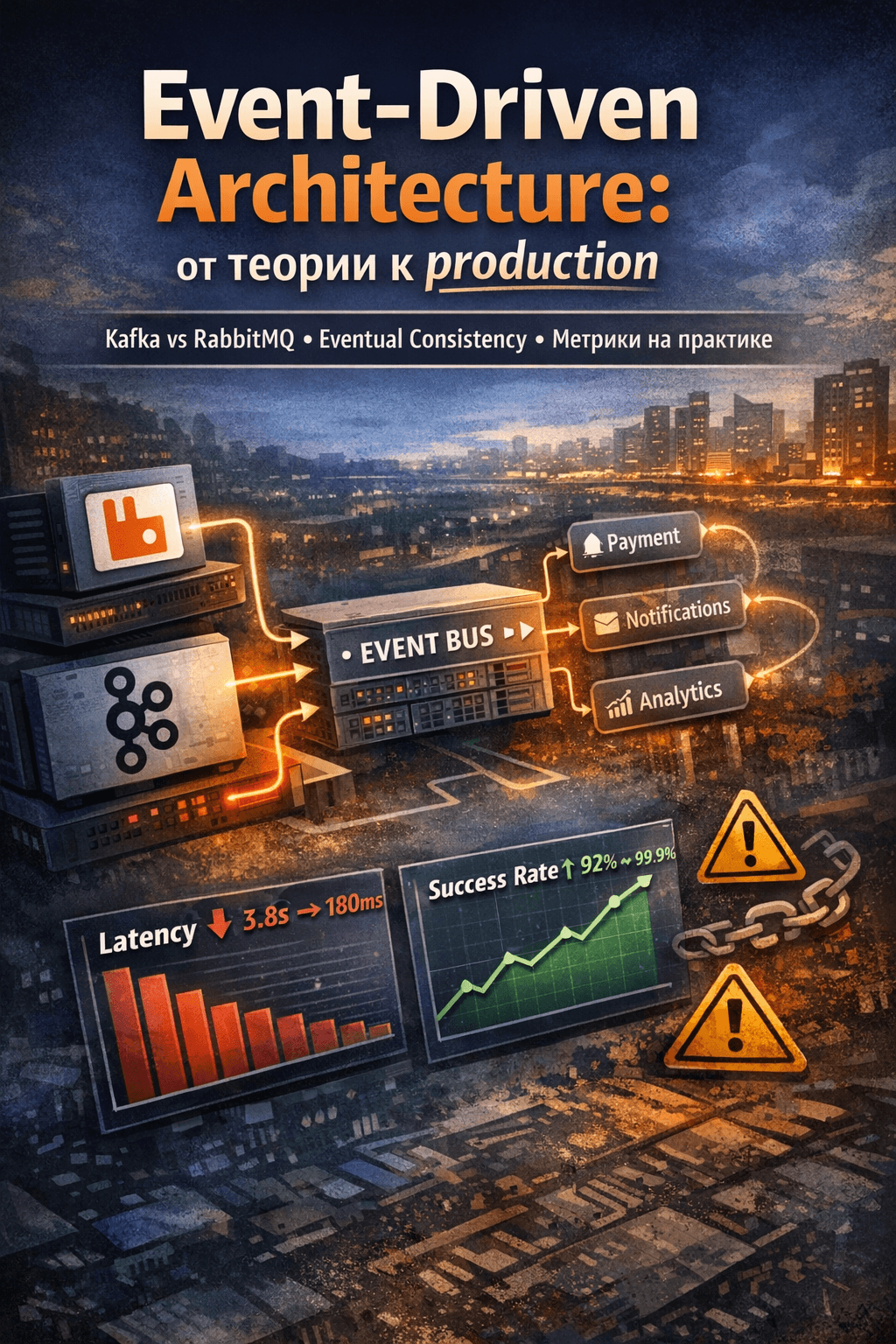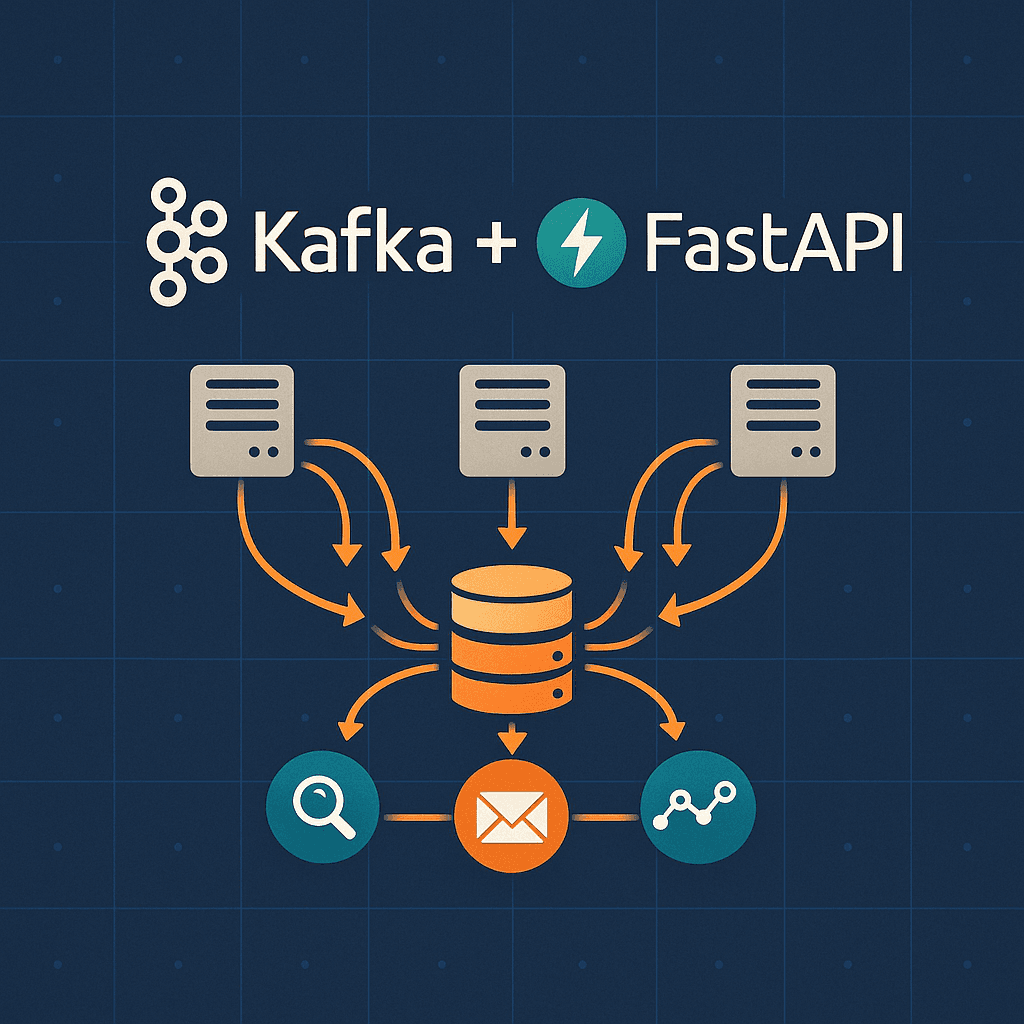
The order waits 1.4 seconds
The service creates an order. Email, inventory, bonuses, courier. First iteration is synchronous:
@app.post("/orders")
async def create_order(order: OrderCreate):
    db_order = await save_order(order)

    await send_email(order.user_email)        # 500ms latency
    await update_inventory(order.items)       # 300ms latency
    await calculate_bonuses(order.user_id)    # 200ms latency
    await notify_delivery(order.id)           # 400ms latency

    return db_order  # User waits 1.4 seconds
What breaks:
- The user waits for every step: 1.4 seconds instead of 50 ms
- Email dies: the whole request dies
- Retry bloats the handler
- Load grows, grows with it
Celery is better, but that is another Redis or RabbitMQ, weak guarantees after a restart, the event chain in three logs, and manual worker scale.
Kafka closes this differently:
- The API answers without waiting for the email
- Delivery via and
- Scale via partitions and consumer groups
- for debugging and event sourcing
This is not "another queue". It is an event log you can re-read.
LinkedIn built Kafka in 2011 for activity logs. Netflix, Uber, Airbnb run millions of events per second through it.
What Kafka is
YouTube for events
A channel publishes, a playlist stores, viewers read:
- Producer: like a channel that publishes videos (events)
- Topic: like a playlist (event category: "orders", "notifications")
- Partition: imagine a playlist of 1000 videos split into 3 folders with ~333 videos each. Now 3 people can independently watch their folder in parallel: without blocking each other
- Consumer: like a subscriber watching videos (reading events)
- Consumer Group: team of viewers where each takes one folder (partition): first watches folder 1, second: folder 2, third: folder 3. Work is divided automatically
Key difference from classic queues (RabbitMQ, SQS):
| RabbitMQ/SQS (default queue) | Kafka |
|---|---|
| Message read → deleted | Events stored forever (or by TTL) |
| Message goes to one consumer | Many consumers read the same events |
| No history after reading | Can "rewind" (replay) |
| Broker distributes messages | Consumer chooses where to start reading |
Key Concepts
Topic: logical event category. Examples: orders.created, users.registered, payments.completed.
Partition: physical division of topic for parallelism. Topic orders with 3 partitions allows 3 consumers to read simultaneously.
: unique event number within partition. Like a bookmark in a book: offset 0 = first event, offset 100 = hundredth event. Consumer remembers its offset (e.g., "I've read up to event 150") and can continue from there after restart, or "rewind" to offset 50.
: application that sends events to Kafka.
: application that reads events from Kafka.
: group of consumers that divide partitions among themselves. Kafka guarantees that one partition is read by only one consumer from the group.
: Kafka server. Kafka cluster = multiple brokers for fault tolerance.
: cluster coordinator. In Kafka 3.0+ KRaft replaces ZooKeeper.
Delivery Guarantees
Kafka offers three guarantee levels:
1. At most once: can lose:
# Producer sent but didn't wait for confirmation
producer.send('topic', value, acks=0)  # Fire and forget
2. At least once: can duplicate:
# Producer waits for confirmation, but can retry on timeout
producer.send('topic', value, acks=1)  # Leader confirmed
3. Exactly once: :
# Idempotent producer + transactions
producer = KafkaProducer(
    enable_idempotence=True,
    transactional_id='my-transactional-id'
)
For most business cases, at least once + idempotent processing on consumer side is sufficient.
Why a Python developer needs this
Typical Scenarios
1. Asynchronous processing (Celery replacement):
Problem: API must respond quickly, but needs to perform slow operations (email, integrations).
# ❌ Bad: user waits for all operations to complete
@app.post("/users/register")
async def register(user: UserCreate):
    db_user = await create_user(user)  # 50ms

    await send_welcome_email(user.email)      # 500ms: waiting for SMTP
    await create_bonus_account(db_user.id)    # 200ms: query to another DB

    return db_user  # User waited 750ms instead of 50ms
With Kafka, API responds instantly, and background consumer processes:
# ✅ Good: API responds quickly, processing in background
@app.post("/users/register")
async def register(user: UserCreate):
    db_user = await create_user(user)  # 50ms

    # Sent event to Kafka: takes ~5ms
    await producer.send('users.registered', {
        'user_id': db_user.id,
        'email': user.email,
        'timestamp': datetime.utcnow().isoformat()
    })

    return db_user  # Response in 55ms instead of 750ms

# Separate consumer (can be in same app or separate)
async def handle_user_registered(event):
    # Process in background, not blocking API
    await send_welcome_email(event['email'])
    await create_bonus_account(event['user_id'])
    # If crashes: will retry automatically (at-least-once)
Advantages over Celery:
- Kafka stores events on disk → won't lose on restart
- Replay events for debugging or state recreation
- Multiple consumer groups can read same events
- Easier scaling (added partitions → added consumers)
2. Microservice communication (abandoning direct HTTP calls):
Previously Order Service directly called Inventory and Notification via HTTP:
# ❌ Bad: Order Service is tightly coupled to other services
@app.post("/orders")
async def create_order(order: OrderCreate):
    db_order = await save_order(order)

    # Direct HTTP call → if Inventory is down, order isn't created
    await http_client.post("http://inventory-service/reserve", {...})
    await http_client.post("http://notification-service/send", {...})

    return db_order
With Kafka, services don't know about each other: they react to events:
# ✅ Good: Order Service publishes event and forgets
@app.post("/orders")
async def create_order(order: OrderCreate):
    db_order = await save_order(order)

    # Sent event → responded to user instantly
    await producer.send('orders.created', {
        'order_id': db_order.id,
        'user_id': order.user_id,
        'items': order.items,
        'total': order.total
    })

    return db_order  # Not waiting for Inventory and Notification

# Inventory Service: separate app listening to events
async def handle_order_created(event):
    await reserve_items(event['items'])
    # If crashes: won't affect order creation

# Notification Service: another separate app
async def handle_order_created(event):
    await send_order_confirmation(event['order_id'])
    # Can add new service without changing Order Service
Advantages:
- Order Service doesn't break if Inventory is unavailable
- Can add Analytics Service without changing Order Service
- Each service scales independently
- Events are stored → can restore state on failure
3. :
Problem: in regular DB we see only current state, losing change history.
# ❌ Traditional approach: UPDATE overwrites history
@app.post("/transfer")
async def transfer_money(from_account: str, to_account: str, amount: float):
    # Was: 5000 RUB
    await db.execute(
        "UPDATE accounts SET balance = balance - ? WHERE id = ?",
        (amount, from_account)
    )
    # Became: 4000 RUB
    # Lost information: who, when, why deducted 1000 RUB
Event Sourcing: instead of changing state, we write facts (events):
# ✅ Event Sourcing: store all events
@app.post("/transfer")
async def transfer_money(from_account: str, to_account: str, amount: float):
    transfer_id = generate_uuid()

    # Event 1: Debit
    await producer.send('accounts.debited', {
        'transfer_id': transfer_id,
        'account_id': from_account,
        'amount': -1000,
        'timestamp': datetime.utcnow().isoformat(),
        'description': f'Transfer to {to_account}'
    })

    # Event 2: Credit
    await producer.send('accounts.credited', {
        'transfer_id': transfer_id,
        'account_id': to_account,
        'amount': 1000,
        'timestamp': datetime.utcnow().isoformat(),
        'description': f'Transfer from {from_account}'
    })

# Consumer restores current state from events
async def rebuild_balance(account_id: str) -> float:
    events = await get_account_events(account_id)  # Read from Kafka
    balance = 0
    for event in events:
        if event['type'] == 'debited':
            balance -= event['amount']
        elif event['type'] == 'credited':
            balance += event['amount']
    return balance
Advantages:
- Complete history: can answer "why is balance like this?"
- Built-in audit: who, when, how much
- Replay: recreate state for any date
- Debugging: reproduce error from events
- Compliance: requirement for fintech and banks
4. Real-time analytics:
Problem: need to calculate metrics in real-time (popular pages, active users), but DB queries are slow.
# ❌ Traditional approach: write each click to DB
@app.get("/products/{item_id}")
async def get_product(item_id: int, user_id: int):
    # Record click in PostgreSQL
    await db.execute(
        "INSERT INTO page_views (user_id, page, timestamp) VALUES (?, ?, ?)",
        (user_id, f'/products/{item_id}', datetime.utcnow())
    )
    # At 1000 RPS this is 1000 INSERT/s to DB: bottleneck

    # Get popular products: slow query
    popular = await db.execute(
        "SELECT page, COUNT(*) FROM page_views WHERE timestamp > now() - interval '1 hour' GROUP BY page"
    )
    # On large volumes this takes seconds
With Kafka, you can aggregate metrics in consumer memory:
# ✅ Good: write events to Kafka, aggregate in memory
@app.get("/products/{item_id}")
async def get_product(item_id: int, user_id: int):
    # Just sent event: takes 1-5ms
    await producer.send('user.clicks', {
        'user_id': user_id,
        'page': f'/products/{item_id}',
        'timestamp': time.time(),
        'session_id': request.cookies.get('session_id')
    })

    # Read popular products from Redis (updated by consumer)
    popular = await redis.get('popular_products_1h')  # < 1ms
    return popular

# Consumer aggregates clicks in real-time
page_counters = defaultdict(int)  # In memory

async def process_clicks(event):
    page = event['page']

    # Increment counter in memory
    page_counters[page] += 1

    # Every 10 seconds flush to Redis
    if should_flush():
        top_pages = sorted(page_counters.items(), key=lambda x: x[1], reverse=True)[:10]
        await redis.set('popular_products_1h', json.dumps(top_pages))

    # Track user journey for recommendations
    await track_user_journey(event['user_id'], page)
Advantages:
- Unloaded DB: instead of 1000 INSERT/s → write to Kafka
- Real-time: counters update every 10 seconds, not once per hour
- Scaling: added partitions → added consumers
- Multiple consumer groups: one for analytics, another for recommendations
When Kafka is Overkill
DON'T use Kafka if:
- You have a monolith without microservice plans
- Load < 100 events per second (Redis/RabbitMQ is enough)
- Need transactions between services (use Saga pattern)
- Team isn't ready to maintain another infrastructure
- Strict event ordering is critical (Kafka guarantees order only within partition)
USE Kafka if:
- Need horizontal scalability
- Fault tolerance and durability are critical
- There are multiple consumers of same events
- Need replay (reviewing event history)
- Planning event sourcing or
Install
Docker Compose (recommended method)
Create docker-compose.yml:
services:
  zookeeper:
    image: confluentinc/cp-zookeeper:7.5.0
    environment:
      ZOOKEEPER_CLIENT_PORT: 2181
      ZOOKEEPER_TICK_TIME: 2000
    ports:
      - "2181:2181"

  kafka:
    image: confluentinc/cp-kafka:7.5.0
    depends_on:
      - zookeeper
    ports:
      - "9092:9092"
      - "9093:9093"
    environment:
      KAFKA_BROKER_ID: 1
      KAFKA_ZOOKEEPER_CONNECT: zookeeper:2181
      KAFKA_ADVERTISED_LISTENERS: PLAINTEXT://localhost:9092,PLAINTEXT_INTERNAL://kafka:9093
      KAFKA_LISTENER_SECURITY_PROTOCOL_MAP: PLAINTEXT:PLAINTEXT,PLAINTEXT_INTERNAL:PLAINTEXT
      KAFKA_INTER_BROKER_LISTENER_NAME: PLAINTEXT_INTERNAL
      KAFKA_OFFSETS_TOPIC_REPLICATION_FACTOR: 1
      KAFKA_TRANSACTION_STATE_LOG_MIN_ISR: 1
      KAFKA_TRANSACTION_STATE_LOG_REPLICATION_FACTOR: 1

  kafka-ui:
    image: provectuslabs/kafka-ui:latest
    depends_on:
      - kafka
    ports:
      - "8080:8080"
    environment:
      KAFKA_CLUSTERS_0_NAME: local
      KAFKA_CLUSTERS_0_BOOTSTRAPSERVERS: kafka:9093
      KAFKA_CLUSTERS_0_ZOOKEEPER: zookeeper:2181
Startup:
docker compose up -d

# Check status
docker compose ps

# Logs
docker compose logs -f kafka

# UI for monitoring: http://localhost:8080
In production use at least 3 brokers for fault tolerance. Docker Compose is only suitable for dev/testing.
Creating Topics
Topic is a logical event category in Kafka. Before starting work, you need to create topics where events will be written.
Let's create topic orders with 3 partitions:
# Via docker exec
docker compose exec kafka kafka-topics \
  --create \
  --topic orders \
  --bootstrap-server localhost:9092 \
  --partitions 3 \
  --replication-factor 1
Parameter meanings:
--topic orders: topic name (event category)--partitions 3: number of partitions for parallel processing. 3 partitions = up to 3 consumers can read simultaneously--replication-factor 1: number of data copies (1 = no backup). In production use at least 2-3
Check that topic is created:
# View all topics
docker compose exec kafka kafka-topics \
  --list \
  --bootstrap-server localhost:9092

# Topic details: partitions, replicas, configuration
docker compose exec kafka kafka-topics \
  --describe \
  --topic orders \
  --bootstrap-server localhost:9092

# Output:
# Topic: orders  PartitionCount: 3  ReplicationFactor: 1
#   Partition: 0  Leader: 1  Replicas: 1  Isr: 1
#   Partition: 1  Leader: 1  Replicas: 1  Isr: 1
#   Partition: 2  Leader: 1  Replicas: 1  Isr: 1
Topics can be created automatically on first event send if option
auto.create.topics.enable=true is enabled. But in production it's better to
create topics explicitly with needed parameters.
Clients
Library Comparison
| Library | Async | Typed | Production Ready | When to Use |
|---|---|---|---|---|
| aiokafka | ✅ | ⚠️ | ✅ | FastAPI, async Python |
| confluent-kafka-python | ❌ | ✅ | ✅ | Sync code, maximum performance |
| kafka-python | ❌ | ❌ | ⚠️ | Legacy projects (not actively maintained) |
| faust | ✅ | ✅ | ✅ | Stream processing (Kafka Streams alternative) |
For FastAPI we choose aiokafka: native async/await support and integration with asyncio event loop.
Installing aiokafka
pip install aiokafka

# For JSON serialization
pip install aiokafka orjson

# For Avro schemas (optional, for production)
pip install aiokafka fastavro
What are ?
In article examples we use JSON for simplicity:
await producer.send('orders', {'order_id': 123, 'total': 5000})JSON problems in production:
- ❌ Many extra bytes:
{"order_id":123}: field names in each event - ❌ No schema control: can send
{"order_id": "abc"}(string instead of number) - ❌ Complex evolution: added field → old consumers break
Avro solves these problems:
- ✅ Compact binary format:
{"order_id":123}(JSON 17 bytes) → 5 bytes (Avro) - ✅ Strict typing: schema validates data before sending
- ✅ Schema evolution: can add fields with default values
How Avro works:
- Define schema (once):
{
  "type": "record",
  "name": "Order",
  "fields": [
    { "name": "order_id", "type": "int" },
    { "name": "total", "type": "float" },
    { "name": "status", "type": "string", "default": "pending" }
  ]
}- Send events (schema not transmitted, only ID + data):
from fastavro import schemaless_writer

# Instead of 50 bytes JSON → 10 bytes Avro
await producer.send('orders', avro_serialize(order_data, schema))- Schema Registry stores schema versions:
- v1:
order_id,total - v2:
order_id,total,status(new field with default) - Old consumers read v1 and v2 without problems
- v1:
When to use Avro:
- Production systems with large data volumes (traffic savings)
- Multiple teams work with one topic (schema contract)
- Long-lived systems (evolution without breaking changes)
For learning and MVP JSON is sufficient. Transition to Avro is optimization at scaling stage.
FastAPI
Application Architecture
kafka-fastapi/
├── app/
│   ├── __init__.py
│   ├── main.py              # FastAPI app
│   ├── config.py            # Kafka settings
│   ├── kafka/
│   │   ├── __init__.py
│   │   ├── producer.py      # Kafka Producer
│   │   ├── consumer.py      # Kafka Consumer
│   │   └── topics.py        # Topics and schemas
│   ├── models.py            # Pydantic schemas
│   ├── routers/
│   │   └── orders.py        # API endpoints
│   └── consumers/
│       └── order_handler.py # Event handlers
├── tests/
│   ├── conftest.py
│   └── test_kafka.py
├── docker-compose.yml
├── requirements.txt
└── README.md
Settings (app/config.py)
from pydantic_settings import BaseSettings, SettingsConfigDict

class Settings(BaseSettings):
    # Kafka
    kafka_bootstrap_servers: list[str] = ["localhost:9092"]
    kafka_consumer_group: str = "fastapi-app"
    kafka_auto_offset_reset: str = "earliest"  # "earliest" or "latest"

    # Topics
    orders_topic: str = "orders"
    notifications_topic: str = "notifications"

    # App
    app_name: str = "Kafka FastAPI"
    debug: bool = False

    model_config = SettingsConfigDict(
        env_file=".env",
        env_file_encoding="utf-8",
        case_sensitive=False,
    )

settings = Settings()
What is auto_offset_reset and when to use what?
Parameter auto_offset_reset determines where to start reading topic if consumer group has no saved offset (first start or offset expired).
earliest: read from very beginning of topic:
kafka_auto_offset_reset: str = "earliest"When to use:
- ✅ First consumer start: need to process all historical events
- ✅ Event Sourcing: restore state from all events
- ✅ Analytics: calculate metrics for all time
- ✅ Dev/Testing: want to see all test events
Pros:
- Won't lose any events
- Can restore state from scratch
Cons:
- On first start will process ALL events in topic (could be millions)
- Long startup if topic is large
latest: read only new events:
kafka_auto_offset_reset: str = "latest"When to use:
- ✅ Production: don't need history, only current events
- ✅ Notifications: send only new, old ones irrelevant
- ✅ Real-time monitoring: only fresh metrics interesting
- ✅ After long downtime: don't want to process accumulated events
Pros:
- Fast startup: read only from connection moment
- Don't overload system on first start
Cons:
- Will lose all events that were before consumer start
- Not suitable for Event Sourcing
Practical examples:
# Notification service: only new events
kafka_auto_offset_reset: str = "latest"
# Started → receive only fresh orders → send email

# Analytics service: entire history
kafka_auto_offset_reset: str = "earliest"
# Started → processed all clicks for month → built report

# Order processing service: depends on situation
kafka_auto_offset_reset: str = "earliest"  # Dev: process test orders
kafka_auto_offset_reset: str = "latest"    # Prod: only new after deploy
Important: After first start and commit offset, parameter auto_offset_reset no longer affects: consumer continues from saved offset. Parameter works only when offset is missing.
Check current offset:
docker compose exec kafka kafka-consumer-groups \
  --bootstrap-server localhost:9092 \
  --describe \
  --group fastapi-app
Kafka Producer (app/kafka/producer.py)
import json
import logging
from typing import Any, Optional

from aiokafka import AIOKafkaProducer
from aiokafka.errors import KafkaError

from app.config import settings

logger = logging.getLogger(__name__)

class KafkaProducerClient:
    """
    Singleton Kafka Producer for sending events.

    Usage:
        producer = await get_kafka_producer()
        await producer.send('orders', {'order_id': 123})
    """

    def __init__(self):
        self.producer: Optional[AIOKafkaProducer] = None

    async def start(self):
        """Creates and starts producer"""
        self.producer = AIOKafkaProducer(
            bootstrap_servers=settings.kafka_bootstrap_servers,
            value_serializer=lambda v: json.dumps(v).encode('utf-8'),
            # Delivery guarantees
            acks='all',  # Wait for confirmation from all replicas
            retries=3,   # Retry attempts
            # Performance
            compression_type='gzip',
            max_batch_size=16384,
            linger_ms=10,  # Wait 10ms for batching
        )
        await self.producer.start()
        logger.info("Kafka Producer started")

    async def stop(self):
        """Stops producer"""
        if self.producer:
            await self.producer.stop()
            logger.info("Kafka Producer stopped")

    async def send(
        self,
        topic: str,
        value: dict[str, Any],
        key: Optional[str] = None,
    ) -> None:
        """
        Sends event to Kafka.

        Args:
            topic: Topic name
            value: Event payload (will be serialized to JSON)
            key: Key for partitioning (optional)
        """
        if not self.producer:
            raise RuntimeError("Producer not started")

        try:
            # Key determines partition (events with same key → same partition)
            key_bytes = key.encode('utf-8') if key else None

            await self.producer.send_and_wait(
                topic=topic,
                value=value,
                key=key_bytes,
            )

            logger.debug(f"Sent to {topic}: {value}")

        except KafkaError as e:
            logger.error(f"Failed to send to {topic}: {e}")
            raise

# Singleton instance
_producer_client: Optional[KafkaProducerClient] = None

async def get_kafka_producer() -> KafkaProducerClient:
    """Dependency injection for FastAPI"""
    global _producer_client

    if _producer_client is None:
        _producer_client = KafkaProducerClient()
        await _producer_client.start()

    return _producer_client
Producer Thread Safety: Why Singleton is Safe in asyncio
Question: Singleton producer + parallel requests = multithreading problems?
Answer: In asyncio this is safe, but there are nuances:
✅ Safe in asyncio (FastAPI default):
FastAPI works in one event loop, all requests are processed in one thread via coroutines:
# All these requests execute in one thread
async def endpoint1(): await producer.send(...)  # Coroutine 1
async def endpoint2(): await producer.send(...)  # Coroutine 2
async def endpoint3(): await producer.send(...)  # Coroutine 3
# asyncio switches between coroutines, but everything in one thread
Why this works:
aiokafka.AIOKafkaProduceris written for asyncio- Uses
awaitfor coroutine switching, not blocking operations - One producer serves thousands of parallel
send()without problems
❌ NOT safe with real multithreading:
If running FastAPI with multiple workers via uvicorn:
# ❌ Bad: 4 processes = 4 event loops = race condition on singleton
uvicorn app.main:app --workers 4
Each worker is separate process with its own singleton, so no problems. But if using threading inside application:
# ❌ DANGEROUS: threading + shared producer
import threading

def send_in_thread():
    # aiokafka is NOT thread-safe!
    producer.send(...)  # Race condition

thread = threading.Thread(target=send_in_thread)
thread.start()
Solution for threading:
Use confluent-kafka-python (synchronous, thread-safe):
from confluent_kafka import Producer

# Thread-safe producer
producer = Producer({'bootstrap.servers': 'localhost:9092'})

def send_in_thread():
    producer.produce('topic', value=b'data')
    producer.flush()  # Wait for sending
Or create producer in each thread:
async def send_in_thread():
    # Each thread creates its producer
    local_producer = AIOKafkaProducer(...)
    await local_producer.start()
    await local_producer.send(...)
    await local_producer.stop()
Practical recommendations:
- FastAPI + uvicorn (one worker) → singleton producer is safe ✅
- FastAPI + uvicorn (multiple workers) → each worker has its singleton ✅
- FastAPI + threading/multiprocessing inside → use
confluent-kafkaor local producers ⚠️ - Celery workers + Kafka → each worker creates its producer on startup ✅
Thread safety check:
import asyncio

async def test_concurrent_sends():
    """Test parallel sending"""
    producer = await get_kafka_producer()

    # 1000 parallel sends
    tasks = [
        producer.send('test', {'id': i})
        for i in range(1000)
    ]

    await asyncio.gather(*tasks)
    print("✅ All 1000 events sent without errors")
Bottom line: For FastAPI + aiokafka singleton producer is the right solution. Problems arise only when mixing asyncio with threading, which is rarely needed in real applications.
Kafka Consumer (app/kafka/consumer.py)
import asyncio
import json
import logging
from typing import Callable, Awaitable

from aiokafka import AIOKafkaConsumer
from aiokafka.errors import KafkaError

from app.config import settings

logger = logging.getLogger(__name__)

class KafkaConsumerClient:
    """
    Kafka Consumer for reading events.

    Usage:
        consumer = KafkaConsumerClient('orders', handler_func)
        await consumer.start()
    """

    def __init__(
        self,
        topic: str,
        handler: Callable[[dict], Awaitable[None]],
        group_id: Optional[str] = None,
    ):
        self.topic = topic
        self.handler = handler
        self.group_id = group_id or settings.kafka_consumer_group
        self.consumer: Optional[AIOKafkaConsumer] = None
        self._running = False

    async def start(self):
        """Creates consumer and starts processing"""
        self.consumer = AIOKafkaConsumer(
            self.topic,
            bootstrap_servers=settings.kafka_bootstrap_servers,
            group_id=self.group_id,
            auto_offset_reset=settings.kafka_auto_offset_reset,
            enable_auto_commit=False,  # Manual commit for reliability
            value_deserializer=lambda m: json.loads(m.decode('utf-8')),
        )

        await self.consumer.start()
        logger.info(f"Consumer started for topic: {self.topic}")

        self._running = True
        asyncio.create_task(self._consume_loop())

    async def stop(self):
        """Stops consumer"""
        self._running = False
        if self.consumer:
            await self.consumer.stop()
            logger.info(f"Consumer stopped for topic: {self.topic}")

    async def _consume_loop(self):
        """Main event reading loop"""
        try:
            async for message in self.consumer:
                try:
                    # Process event
                    await self.handler(message.value)

                    # Commit offset after successful processing
                    await self.consumer.commit()

                    logger.debug(
                        f"Processed message from {self.topic}: "
                        f"partition={message.partition}, offset={message.offset}"
                    )

                except Exception as e:
                    logger.error(f"Error processing message: {e}", exc_info=True)
                    # Don't commit → message will be re-read

        except KafkaError as e:
            logger.error(f"Kafka error: {e}")
        except Exception as e:
            logger.error(f"Unexpected error: {e}", exc_info=True)
FastAPI Application (app/main.py)
from contextlib import asynccontextmanager

from fastapi import FastAPI

from app.config import settings
from app.kafka.producer import get_kafka_producer, _producer_client
from app.consumers.order_handler import start_order_consumer, stop_order_consumer
from app.routers import orders

@asynccontextmanager
async def lifespan(app: FastAPI):
    """Lifecycle: startup and shutdown"""

    # Startup: start Kafka Producer
    await get_kafka_producer()

    # Startup: start Kafka Consumers
    await start_order_consumer()

    yield

    # Shutdown: stop Producer and Consumers
    if _producer_client:
        await _producer_client.stop()

    await stop_order_consumer()

app = FastAPI(
    title=settings.app_name,
    lifespan=lifespan,
)

# Include routers
app.include_router(orders.router)

@app.get("/health")
async def health():
    """Health check"""
    return {"status": "healthy"}
API Endpoints (app/routers/orders.py)
from fastapi import APIRouter, Depends, HTTPException, status
from pydantic import BaseModel, Field

from app.kafka.producer import KafkaProducerClient, get_kafka_producer
from app.config import settings

router = APIRouter(prefix="/orders", tags=["orders"])

class OrderCreate(BaseModel):
    """Order creation schema"""
    user_id: int
    items: list[str] = Field(..., min_items=1)
    total_amount: float = Field(..., gt=0)

class OrderResponse(BaseModel):
    """API response"""
    order_id: int
    status: str = "pending"
    message: str = "Order is being processed"

@router.post("/", response_model=OrderResponse, status_code=status.HTTP_202_ACCEPTED)
async def create_order(
    order: OrderCreate,
    producer: KafkaProducerClient = Depends(get_kafka_producer),
):
    """
    Creates order and sends event to Kafka.

    Returns 202 Accepted: processing is asynchronous.
    """

    # Generate ID (in reality: from DB)
    order_id = 12345  # Stub

    # Send event to Kafka
    await producer.send(
        topic=settings.orders_topic,
        value={
            "event_type": "order.created",
            "order_id": order_id,
            "user_id": order.user_id,
            "items": order.items,
            "total_amount": order.total_amount,
        },
        key=str(order.user_id),  # Partition by user_id
    )

    return OrderResponse(order_id=order_id)
Event Handler (app/consumers/order_handler.py)
import logging

from app.kafka.consumer import KafkaConsumerClient
from app.config import settings

logger = logging.getLogger(__name__)

# Global variable for consumer
_order_consumer: Optional[KafkaConsumerClient] = None

async def handle_order_created(event: dict):
    """
    Handler for order.created event.

    Here all side-effects are performed:
    - Send email
    - Update inventory
    - Award bonuses
    """
    order_id = event["order_id"]
    user_id = event["user_id"]

    logger.info(f"Processing order {order_id} for user {user_id}")

    try:
        # Work simulation
        await send_order_email(user_id, order_id)
        await update_inventory(event["items"])
        await calculate_bonuses(user_id, event["total_amount"])

        logger.info(f"Order {order_id} processed successfully")

    except Exception as e:
        logger.error(f"Failed to process order {order_id}: {e}")
        raise  # Retry via Kafka

async def send_order_email(user_id: int, order_id: int):
    """Email sending stub"""
    logger.info(f"Email sent to user {user_id} for order {order_id}")

async def update_inventory(items: list[str]):
    """Inventory update stub"""
    logger.info(f"Inventory updated for items: {items}")

async def calculate_bonuses(user_id: int, amount: float):
    """Bonus calculation stub"""
    bonuses = amount * 0.05
    logger.info(f"Bonuses {bonuses} calculated for user {user_id}")

async def start_order_consumer():
    """Starts consumer for order processing"""
    global _order_consumer

    _order_consumer = KafkaConsumerClient(
        topic=settings.orders_topic,
        handler=handle_order_created,
    )

    await _order_consumer.start()

async def stop_order_consumer():
    """Stops consumer"""
    if _order_consumer:
        await _order_consumer.stop()
Running the Application
# Start Kafka
docker compose up -d

# Start FastAPI
uvicorn app.main:app --reload --host 0.0.0.0 --port 8000

# Test API
curl -X POST http://localhost:8000/orders/ \
  -H "Content-Type: application/json" \
  -d '{
    "user_id": 123,
    "items": ["item1", "item2"],
    "total_amount": 5000
  }'

# Check consumer logs
# Should see: "Processing order 12345 for user 123"
Pitfalls
1. Event Processing Order
Problem: Events from different partitions are processed in parallel.
# User 123: two events in different partitions
await producer.send('orders', {'user_id': 123, 'action': 'create'})  # → partition 0
await producer.send('orders', {'user_id': 123, 'action': 'cancel'})  # → partition 2

# Consumer can process 'cancel' before 'create'!
Solution: Use partition key for grouping related events:
# All events for user_id=123 go to one partition
await producer.send(
    topic='orders',
    value={'user_id': 123, 'action': 'create'},
    key=str(123)  # Key determines partition
)
Kafka guarantees order within partition, but not between partitions.
2. Processing Idempotence
Problem: At-least-once delivery → event can be processed twice.
async def handle_payment(event):
    # ❌ Bad: reprocessing = double charge
    await charge_user(event['user_id'], event['amount'])
Solution: Make processing idempotent:
async def handle_payment(event):
    payment_id = event['payment_id']

    # Check if already processed
    if await is_payment_processed(payment_id):
        logger.info(f"Payment {payment_id} already processed, skipping")
        return

    # Process
    await charge_user(event['user_id'], event['amount'])

    # Save processing fact
    await mark_payment_processed(payment_id)
3. Dead Letter Queue (DLQ)
Problem: Event not being processed (validation error, bug) → blocks partition.
Solution: Send problematic events to :
async def _consume_loop(self):
    """Loop with error handling"""

    async for message in self.consumer:
        try:
            await self.handler(message.value)
            await self.consumer.commit()

        except ValidationError as e:
            # Invalid event → to DLQ
            logger.error(f"Validation error: {e}")
            await self._send_to_dlq(message, error=str(e))
            await self.consumer.commit()  # Skip

        except Exception as e:
            # Unexpected error → retry
            logger.error(f"Processing error: {e}")
            # Don't commit → Kafka will retry

async def _send_to_dlq(self, message, error: str):
    """Sends to Dead Letter Queue"""

    await self.dlq_producer.send(
        topic=f"{self.topic}.dlq",
        value={
            "original_message": message.value,
            "error": error,
            "timestamp": datetime.utcnow().isoformat(),
        },
    )
4. Backpressure (Consumer Overload)
Problem: Producer writes faster than consumer reads → grows.
Monitoring lag:
docker compose exec kafka kafka-consumer-groups \
  --bootstrap-server localhost:9092 \
  --describe \
  --group fastapi-app

# Output:
# TOPIC    PARTITION  CURRENT-OFFSET  LOG-END-OFFSET  LAG
# orders   0          1000            5000            4000  ← Problem!
Solution 1: Add consumer to group (horizontal scaling):
# Start multiple app instances
# Kafka will automatically distribute partitions between them
Solution 2: Increase partition count:
docker compose exec kafka kafka-topics \
  --alter \
  --topic orders \
  --partitions 6 \
  --bootstrap-server localhost:9092
Solution 3: Batch processing:
async def _consume_loop(self):
    """Process in batches"""

    batch = []
    batch_size = 100

    async for message in self.consumer:
        batch.append(message)

        if len(batch) >= batch_size:
            await self._process_batch(batch)
            await self.consumer.commit()
            batch = []

async def _process_batch(self, messages):
    """Parallel batch processing"""

    tasks = [self.handler(msg.value) for msg in messages]
    await asyncio.gather(*tasks, return_exceptions=True)
5. Rebalancing
Problem: When adding/removing consumer, Kafka redistributes partitions → processing stops for several seconds ().
Solution: Graceful shutdown:
import signal

async def shutdown(signal, loop):
    """Graceful shutdown on SIGTERM"""

    logger.info(f"Received exit signal {signal.name}...")

    # Stop consumer (completes current messages)
    await stop_order_consumer()

    # Stop producer
    if _producer_client:
        await _producer_client.stop()

    # Stop event loop
    loop.stop()

# Register handlers
loop = asyncio.get_event_loop()
for sig in (signal.SIGTERM, signal.SIGINT):
    loop.add_signal_handler(
        sig,
        lambda s=sig: asyncio.create_task(shutdown(s, loop))
    )
Tests
Unit Tests (Mocks)
import pytest
from unittest.mock import AsyncMock, patch

@pytest.mark.asyncio
async def test_create_order_sends_event():
    """Check that API sends event to Kafka"""

    # Mock producer
    mock_producer = AsyncMock()

    with patch('app.routers.orders.get_kafka_producer', return_value=mock_producer):
        from app.routers.orders import create_order

        order = OrderCreate(user_id=123, items=["item1"], total_amount=100)
        response = await create_order(order, producer=mock_producer)

        # Check call
        mock_producer.send.assert_called_once()
        call_args = mock_producer.send.call_args

        assert call_args.kwargs['topic'] == 'orders'
        assert call_args.kwargs['value']['user_id'] == 123
        assert response.order_id > 0
Integration Tests (Testcontainers)
import pytest
from testcontainers.kafka import KafkaContainer
from aiokafka import AIOKafkaProducer, AIOKafkaConsumer

@pytest.fixture(scope="session")
def kafka_container():
    """Starts Kafka in Docker for tests"""

    with KafkaContainer() as kafka:
        yield kafka

@pytest.mark.asyncio
async def test_kafka_producer_consumer(kafka_container):
    """E2E test: producer → Kafka → consumer"""

    bootstrap_servers = kafka_container.get_bootstrap_server()

    # Producer
    producer = AIOKafkaProducer(
        bootstrap_servers=bootstrap_servers,
        value_serializer=lambda v: json.dumps(v).encode(),
    )
    await producer.start()

    # Consumer
    consumer = AIOKafkaConsumer(
        'test-topic',
        bootstrap_servers=bootstrap_servers,
        auto_offset_reset='earliest',
        value_deserializer=lambda m: json.loads(m.decode()),
    )
    await consumer.start()

    # Send event
    test_message = {'test': 'data'}
    await producer.send_and_wait('test-topic', test_message)

    # Read event
    async for message in consumer:
        assert message.value == test_message
        break  # Read one message → exit

    await producer.stop()
    await consumer.stop()
Local Testing with Kafka UI
- Open http://localhost:8080 (Kafka UI from Docker Compose)
- Select topic
orders - Manually send test event via UI
- Check consumer logs in application
Monitoring
Key Metrics
Producer metrics:
record-send-rate: events per secondrecord-error-rate: send errorsrequest-latency-avg: send latency
Consumer metrics:
records-consumed-rate: events per secondrecords-lag-max: maximum lag (critical!)commit-latency-avg: latency
Kafka metrics:
- Disk usage (events stored on disk)
- Network I/O ()
- (replication issues)
Prometheus + Grafana
Add JMX Exporter to export Kafka metrics to Prometheus:
# Add to docker-compose.yml
kafka:
  environment:
    KAFKA_JMX_PORT: 9101
    KAFKA_JMX_HOSTNAME: localhost
  ports:
    - "9101:9101"

jmx-exporter:
  image: sscaling/jmx-prometheus-exporter
  ports:
    - "5556:5556"
  environment:
    SERVICE_PORT: 5556
  volumes:
    - ./jmx-exporter-config.yml:/etc/jmx-exporter/config.yml
  command:
    - "5556"
    - "/etc/jmx-exporter/config.yml"
Grafana dashboard: Use ready-made Kafka Overview dashboard.
Structured Logging
import structlog

logger = structlog.get_logger()

async def handle_order_created(event: dict):
    """Handler with structured logging"""

    logger.info(
        "order.processing.started",
        order_id=event["order_id"],
        user_id=event["user_id"],
        total_amount=event["total_amount"],
    )

    try:
        await process_order(event)

        logger.info(
            "order.processing.completed",
            order_id=event["order_id"],
            duration_ms=123,
        )

    except Exception as e:
        logger.error(
            "order.processing.failed",
            order_id=event["order_id"],
            error=str(e),
            exc_info=True,
        )
        raise
Structured logs are easy to parse in ELK/Loki for analytics.
Production Checklist
Before Deploy
- : at least 3 brokers, replication factor >= 2
- : configure
log.retention.hours(default: 168h = 7 days) - Partitions: calculate count (2-3x consumer count)
- Acks:
acks=allfor critical data - Idempotence: enable
enable.idempotence=True - : use
gziporsnappy - Monitoring: configure alerts on lag and error rate
- DLQ: implement Dead Letter Queue
- Graceful shutdown: handle SIGTERM
- Tests: integration tests with Testcontainers
Security
# SSL/TLS encryption
kafka:
  environment:
    KAFKA_SECURITY_PROTOCOL: SSL
    KAFKA_SSL_KEYSTORE_LOCATION: /etc/kafka/secrets/kafka.keystore.jks
    KAFKA_SSL_KEYSTORE_PASSWORD: changeit

# SASL Authentication
KAFKA_SASL_MECHANISM: PLAIN
KAFKA_SASL_ENABLED_MECHANISMS: PLAIN
Capacity Planning
Throughput formula:
Max Throughput = (Partitions × Consumer Processing Rate)
Example: 10 partitions, each consumer processes 100 msg/s → max 1000 msg/s.
Storage formula:
Storage = (Events per day × Avg event size × Retention days)
Example: 10M events/day × 1KB × 7 days = 70GB.
Short version
Topics, partitions, consumer groups. Async producer and consumer in FastAPI. Idempotence, retry, DLQ. Order inside a partition, rebalancing, backpressure. Tests with Testcontainers. Metrics on lag.
One topic and one consumer. Then Streams, Schema Registry, KSQL, saga, multi-region. Event sourcing and after the log already tells the truth.
Kafka docs, aiokafka, Confluent Python, Designing Event-Driven Systems.
A week for the first topic. Months for the nuances. Do not raise a cluster "just in case".
Glossary
Key terms used in the article:
- Acknowledgement (ACK)
- Message receipt confirmation. Producer can require ACK from partition leader (acks=1), from all replicas (acks=all), or not wait at all (acks=0).
- Apache Avro
- Binary data serialization format from Apache (named after British aircraft manufacturer Avro). Unlike JSON, Avro is more compact (smaller size), faster (binary format) and supports schema evolution. Schema is stored separately in Schema Registry, events only transmit schema ID + data.
- Broker
- Kafka server that stores data and handles requests from producer and consumer. Kafka cluster consists of multiple brokers for fault tolerance and scaling.
- Commit
- Operation of saving offset in Kafka that marks event as processed. Commit can be done automatically (auto.commit) or manually after successful processing for at-least-once guarantee.
- Consumer
- Application (or its part) that reads events from Kafka. Consumer subscribes to topics, reads events from specific partitions and commits offset after processing.
- Consumer Group
- Logical group of consumers that divide partitions of one topic among themselves. Kafka automatically distributes partitions between consumers in group. When consumer is added/removed, rebalancing occurs.
- CQRS
- Command Query Responsibility Segregation: pattern of separating models for write (Command) and read (Query). Commands change state via events, queries read from optimized read-models. Kafka is perfect for CQRS: events in topics = commands, consumer builds read-models in DB/Redis.
- Dead Letter Queue (DLQ)
- Special topic for events that couldn't be processed after all retry attempts. Allows not blocking healthy event processing and analyzing problems separately.
- Event Sourcing
- Data storage pattern where instead of current state, sequence of events is saved. State is restored by replaying all events. Provides complete change history and replay capability.
- Idempotence
- Property of operation that can be performed multiple times without changing result after first application. Example: setting x=5 is idempotent, x=x+5 is not. In Kafka, idempotence protects against duplicates during retry.
- Lag
- Consumer lag from last event in partition. Measured in number of unprocessed events. High lag (thousands of events) means consumer can't keep up with data stream.
- Latency
- Delay between sending a request and receiving a response. Measured in milliseconds (ms). In high-load systems, percentiles are important: p50, p95, p99.
- Offset
- Unique sequential number of event within partition. Starts from 0 and increments with each new event. Consumer stores its offset to know where it has read up to.
- Persistence
- Data storage on disk for long-term retention. In Kafka, events are written to broker disk and can be stored for days/weeks, unlike in-memory queues.
- Producer
- Application (or its part) that sends events to Kafka. Producer chooses topic and optionally partition key, then serializes data and sends to broker.
- Rebalancing
- Process of redistributing partitions between consumers in Consumer Group. Happens when adding/removing consumer or changing partition count. During rebalancing event processing is paused.
- Replay
- Ability to re-read events from the past by 'rewinding' offset backwards. Useful for debugging, data recovery, or creating new projections from historical events.
- Replication Factor
- Number of copies of each partition on different brokers. With replication factor=3 data is stored on three brokers. Protects against data loss if broker fails. Minimum 2 for production, recommended 3.
- Retention
- Event storage time in Kafka. Default 7 days (168 hours). Old events are automatically deleted. Can be configured by time (log.retention.hours) or size (log.retention.bytes).
- Throughput
- System throughput: number of events processed per unit time. Measured in RPS (requests per second) or events/sec. In Kafka depends on partition count and consumer performance.
- Under-replicated partitions
- Partitions where not all replicas are synchronized. Indicates broker or network issues. Critical monitoring metric: high value threatens data loss if leader fails.
- ZooKeeper / KRaft
- Kafka cluster coordination system. ZooKeeper handled leader election, metadata storage and broker coordination. Since Kafka 3.0+, KRaft is used: built-in mechanism without external dependencies.