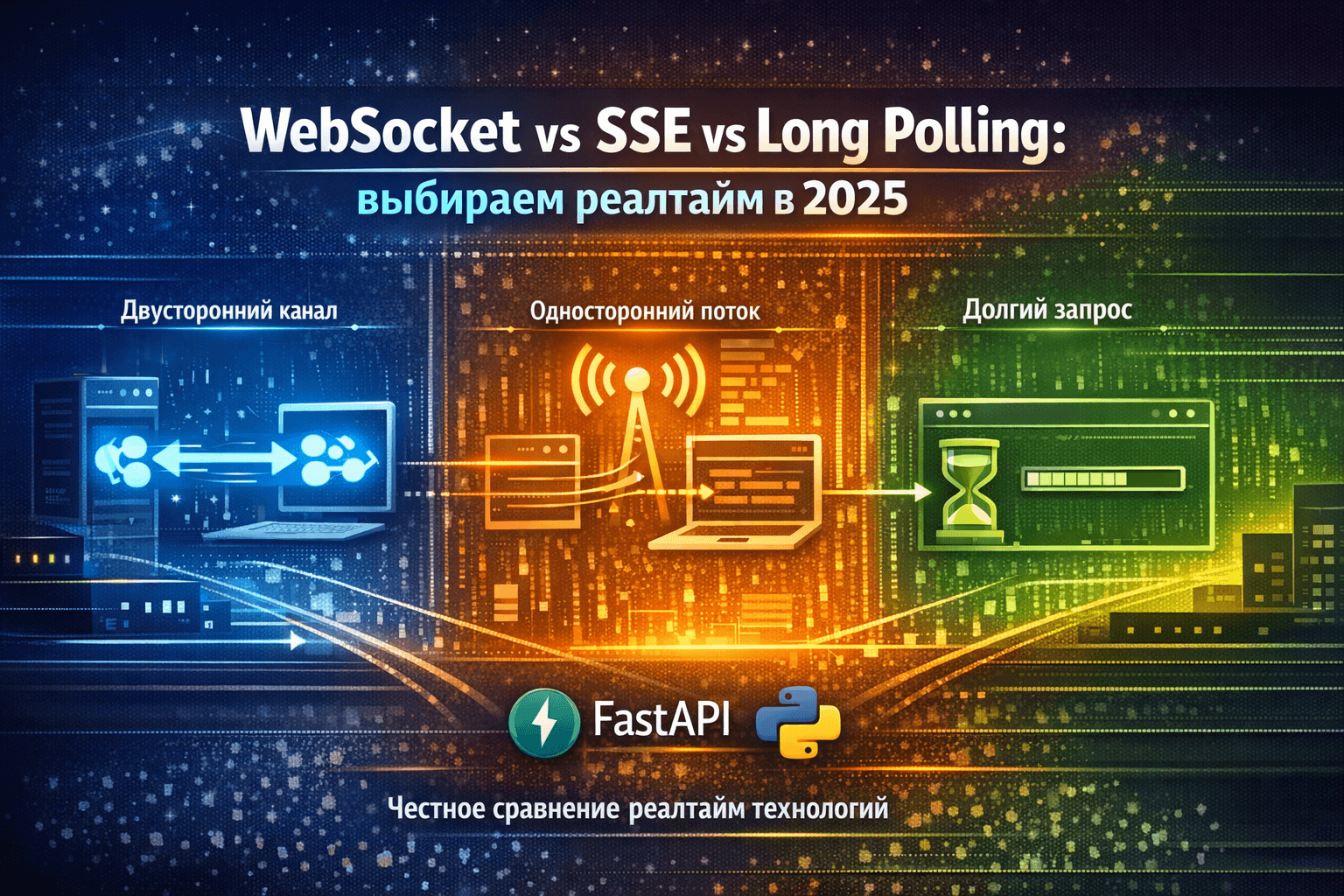
Polling every two seconds
Friday, 6:30 PM. A client tests the chat. Refreshes the page by hand. "Why the delay?" You look at the code:
# ❌ Polling every 2 seconds from frontend
@app.get("/messages")
async def get_messages(last_id: int = 0):
    return await db.query(
        "SELECT * FROM messages WHERE id > ?", last_id
    )
Problems:
- 30 open tabs → 15 requests per second → server dies
- User sees messages with 0-2 second delay (random)
- Set 100ms polling → 600 requests per minute from one user
- Most requests return empty response (wasted)
You google "real-time python" and get three labels: full duplex, simple HTTP, fallback for old browsers.
All three live in production. WebSocket is not always needed. SSE is often enough. Long Polling is not dead: on a weak mobile network it is sometimes the only one that stays up.
Two years of chats, dashboards, quotes, notifications. CORS on WebSocket, SSE behind nginx, Long Polling on 2G.
WebSocket
What it is: Full-fledged TCP channel over HTTP. After handshake, works as persistent connection where client and server send messages whenever they want.
Analogy: Phone call. Established connection → both talk and listen simultaneously → conversation lasts until you hang up.
# Client
ws = new WebSocket('ws://localhost:8000/ws')
ws.send('Hello')              // Client → Server
ws.onmessage = (msg) => {...} // Server → Client

# Server (FastAPI)
@app.websocket("/ws")
async def websocket_endpoint(websocket: WebSocket):
    await websocket.accept()
    await websocket.send_text("Welcome!")  # Server → Client
    data = await websocket.receive_text()  # Client → Server
Key difference: Bidirectional. Server can send data to client without request.
When it shines:
- ✅ Chats (Discord, Telegram Web)
- ✅ Multiplayer games (realtime multiplayer)
- ✅ Collaborative editors (Google Docs, Figma)
- ✅ Trading terminals (quote updates every 10ms)
When it hurts:
- ❌ Load balancer without sticky sessions → connections break
- ❌ Proxies/firewalls close idle connections after 60 seconds
- ❌ Many open tabs → many connections → eats memory
- ❌ CORS on WebSocket configured differently than HTTP
Server-Sent Events
What it is: HTTP connection that server keeps open and sends events as text stream. Client only listens.
Analogy: Radio. You tuned in (opened connection) → listen to broadcast (receive events) → can't reply to DJ (only server → client).
# Client
const eventSource = new EventSource('/sse')
eventSource.onmessage = (event) => {
  console.log(event.data) // Only receiving
}

# Server (FastAPI)
@app.get("/sse")
async def sse_endpoint(request: Request):
    async def event_stream():
        while True:
            yield f"data: {datetime.now()}\n\n"
            await asyncio.sleep(1)

    return StreamingResponse(
        event_stream(),
        media_type="text/event-stream"
    )
Key difference: Unidirectional, only server → client. To send data, use regular HTTP POST.
When it shines:
- ✅ Notifications (GitHub notifications, email alerts)
- ✅ Dashboard updates (metrics, charts)
- ✅ Live logs (tail -f in browser)
- ✅ Long operation progress (file upload, processing)
When it hurts:
- ❌ Nginx/Apache buffer response → events don't arrive (needs config)
- ❌ No native support in fetch API (EventSource only)
- ❌ Browser limits 6 SSE per domain (HTTP/1.1)
- ❌ On mobile can die when app goes to background
Long Polling
What it is: Client makes request, server keeps it open until data appears (or timeout), responds, client immediately makes new request.
Analogy: Queue at clinic. You ask "Is my ticket ready?" → if not, asked to wait → as soon as ready, they tell you → you immediately ask about next one.
# Client
async function poll() {
  const response = await fetch('/poll?last_id=123')
  const data = await response.json()
  processData(data)
  poll() // Immediately next request
}

# Server (FastAPI)
@app.get("/poll")
async def long_poll(last_id: int = 0):
    # Wait up to 30 seconds for new data
    for _ in range(30):
        new_data = await get_new_messages(last_id)
        if new_data:
            return new_data
        await asyncio.sleep(1)

    return []  # Timeout, client will retry
Key difference: Regular HTTP, but with delayed response. Server doesn't respond immediately, waits for data.
When it shines:
- ✅ When WebSocket/SSE blocked by corporate proxy
- ✅ Weak/unstable network (2G/3G) → reconnection cheaper
- ✅ Rare updates (once per minute) → no need for persistent channel
- ✅ Compatibility with all browsers (even IE)
When it hurts:
- ❌ High latency on connection establishment (SSL handshake each time)
- ❌ Many parallel clients → many hanging connections
- ❌ Harder to scale (each request = worker)
Comparison
Latency
Test: Server sends event → measure how long it takes to reach client.
| Technology | First event | Subsequent | Why |
|---|---|---|---|
| WebSocket | 50ms | <1ms | Connection already open, data flies instantly |
| SSE | 100ms | <1ms | HTTP overhead, but stream is open |
| Long Polling | 150-300ms | 50-200ms | Each event = new HTTP request (+ SSL) |
Verdict: WebSocket and SSE are instant. Long Polling has a noticeable delay.
Real case: Trading terminal for crypto. WebSocket delivers BTC quote update in 0.5ms. With Long Polling delay is 100-200ms → arbitrage traders would lose.
Traffic
Test: 100 events per minute, each 100 bytes of payload.
| Technology | Payload data | HTTP headers | Total | Overhead |
|---|---|---|---|---|
| WebSocket | 10 KB | 0.5 KB | 10.5 KB | 5% |
| SSE | 10 KB | 1 KB | 11 KB | 10% |
| Long Polling | 10 KB | 20-40 KB | 50 KB | 200-400% (!!) |
Verdict: WebSocket saves traffic 5x. Long Polling wastes bytes.
Why Long Polling is so bad:
Each event = full HTTP request/response cycle:
GET /poll HTTP/1.1
Host: api.example.com
User-Agent: Mozilla/5.0...
Cookie: session=abc123...
Accept: application/json
...15 more header lines...

HTTP/1.1 200 OK
Content-Type: application/json
Set-Cookie: ...
Cache-Control: no-cache
...10 more header lines...

{"message": "hi"}  ← 17 bytes data, 800+ bytes headers
With WebSocket after handshake:
\x81\x11{"message": "hi"} ← 2 bytes frame + 17 bytes data
Savings: ~800 bytes per event. At 1M events/day = 760 MB traffic saved.
Server load
Test: 10,000 simultaneous clients, event once per 10 seconds.
| Technology | Open connections | CPU (idle) | Memory | Why |
|---|---|---|---|---|
| WebSocket | 10,000 | ~5% | 200 MB | Keep connections, but they sleep |
| SSE | 10,000 | ~7% | 250 MB | HTTP keep-alive slightly heavier |
| Long Polling | 10,000 | ~30% | 400 MB | Constantly processing new requests |
Verdict: WebSocket/SSE scale better. Long Polling loads CPU on reconnect.
Real case: Notifications for SaaS (30k users online).
- With Long Polling: 8 servers c5.2xlarge ($6k/month), CPU usage 60-80%
- After migration to SSE: 3 servers ($2.2k/month), CPU usage 20-30%
Savings: $3.8k/month = $45k/year.
Complexity
Time to MVP (from scratch to working code):
| Technology | Time | Code complexity | Pitfalls |
|---|---|---|---|
| SSE | 1 hour | ★☆☆☆☆ | Straightforward, works out of box |
| WebSocket | 3 hours | ★★★☆☆ | Need event routing, reconnect, heartbeat |
| Long Polling | 2 hours | ★★☆☆☆ | Simpler than WebSocket, but need timeout |
Verdict: SSE is the easiest start. WebSocket needs infrastructure.
Production
WebSocket: disconnects
Case: Chat for corporate portal. 50% users lose connection after 60 seconds.
Cause: Nginx by default closes idle WebSocket after proxy_read_timeout 60s.
Solution 1. Increase timeout:
location /ws {
    proxy_pass http://backend;
    proxy_http_version 1.1;
    proxy_set_header Upgrade $http_upgrade;
    proxy_set_header Connection "upgrade";

    # Increased to 1 hour
    proxy_read_timeout 3600s;
    proxy_send_timeout 3600s;
}
Solution 2. Heartbeat (ping/pong):
# Server sends ping every 30 seconds
@app.websocket("/ws")
async def websocket_endpoint(websocket: WebSocket):
    await websocket.accept()

    async def send_ping():
        while True:
            try:
                await websocket.send_text("ping")
                await asyncio.sleep(30)
            except:
                break

    asyncio.create_task(send_ping())

    # ... message processing
Client:
ws.onmessage = (event) => {
  if (event.data === "ping") {
    ws.send("pong"); // Reply to heartbeat
    return;
  }
  // process real messages
};
Lesson: WebSocket requires activity (heartbeat), otherwise proxies decide connection is dead.
SSE: events never arrive
Case: Dashboard with real-time metrics. Events are generated but client doesn't see them.
Cause: Nginx buffers response and waits for data accumulation before sending to client.
Solution:
location /sse {
    proxy_pass http://backend;

    # Disable buffering for SSE
    proxy_buffering off;
    proxy_cache off;

    # Required for SSE
    proxy_set_header Connection '';
    proxy_http_version 1.1;
    chunked_transfer_encoding off;

    # HTTP/1.1 keep-alive
    proxy_read_timeout 86400s;
}
FastAPI (important headers):
from starlette.responses import StreamingResponse

@app.get("/sse")
async def sse(request: Request):
    async def event_generator():
        while True:
            if await request.is_disconnected():
                break

            # SSE format: "data: <payload>\n\n"
            yield f"data: {json.dumps({'time': time.time()})}\n\n"
            await asyncio.sleep(1)

    return StreamingResponse(
        event_generator(),
        media_type="text/event-stream",
        headers={
            "Cache-Control": "no-cache",
            "X-Accel-Buffering": "no",  # For Nginx
        }
    )
Lesson: SSE requires proper proxy configuration and headers.
Long Polling: a thousand users
Case: Notifications for mobile app. Long Polling with 60s timeout. At 1000 users server exhausts workers.
Problem: Gunicorn with 4 workers × 1 thread = 4 simultaneous requests. Remaining 996 wait in queue.
Solution 1. Async workers:
# ❌ Bad: Sync workers
gunicorn app:app --workers 4 --worker-class sync

# ✅ Good: Async workers (gevent or uvicorn)
gunicorn app:app --workers 4 --worker-class uvicorn.workers.UvicornWorker
With async workers one process holds thousands of simultaneous long-poll connections.
Solution 2. Migrate to SSE:
Long Polling with frequent events (> 1/minute) → better use SSE.
Lesson: Long Polling requires async runtime or you'll quickly hit worker limit.
FastAPI examples
Chat over WebSocket
Architecture:
Client 1 → WebSocket → FastAPI → Broadcast → WebSocket → Client 2
                                     ↓
                            Client 3, 4, ...N
Code (app/chat.py):
from fastapi import FastAPI, WebSocket, WebSocketDisconnect
from typing import List
import json

app = FastAPI()

# Connection manager
class ConnectionManager:
    def __init__(self):
        self.active_connections: List[WebSocket] = []

    async def connect(self, websocket: WebSocket):
        await websocket.accept()
        self.active_connections.append(websocket)

    def disconnect(self, websocket: WebSocket):
        self.active_connections.remove(websocket)

    async def broadcast(self, message: str):
        """Send to all clients"""
        for connection in self.active_connections:
            try:
                await connection.send_text(message)
            except:
                # If send failed, remove connection
                self.disconnect(connection)

manager = ConnectionManager()

@app.websocket("/ws/chat")
async def websocket_chat(websocket: WebSocket):
    await manager.connect(websocket)

    try:
        while True:
            # Receive message from client
            data = await websocket.receive_text()

            message = json.loads(data)
            username = message.get("username", "Anonymous")
            text = message.get("text", "")

            # Broadcast to all
            await manager.broadcast(json.dumps({
                "username": username,
                "text": text,
                "timestamp": time.time()
            }))

    except WebSocketDisconnect:
        manager.disconnect(websocket)
        await manager.broadcast(json.dumps({
            "system": f"User left the chat"
        }))
Client (JavaScript):
const ws = new WebSocket("ws://localhost:8000/ws/chat");

ws.onopen = () => console.log("Connected");

ws.onmessage = (event) => {
  const message = JSON.parse(event.data);
  addMessageToUI(message);
};

// Send message
function sendMessage(text) {
  ws.send(
    JSON.stringify({
      username: "User123",
      text: text,
    })
  );
}

// Reconnect on disconnect
ws.onclose = () => {
  console.log("Disconnected, reconnecting...");
  setTimeout(() => location.reload(), 1000);
};
Pitfalls:
- Broadcast to all → O(N) per message. At 10k users that's 10k send().
- Solution: use Redis Pub/Sub for coordination between servers.
- No persistence. Server restart → everyone disconnects.
- Solution: store messages in DB, load history on reconnect.
- Single server. Horizontal scaling without coordination impossible.
Dashboard over SSE
Use case: Real-time monitoring of metrics (CPU, memory, requests per second).
Code (app/dashboard.py):
from fastapi import FastAPI, Request
from sse_starlette.sse import EventSourceResponse
import asyncio
import psutil
import json

app = FastAPI()

async def generate_metrics():
    """Generate metrics every second"""
    while True:
        metrics = {
            "cpu_percent": psutil.cpu_percent(interval=1),
            "memory_percent": psutil.virtual_memory().percent,
            "timestamp": time.time()
        }

        # SSE format
        yield {
            "event": "metrics",
            "data": json.dumps(metrics)
        }

        await asyncio.sleep(1)

@app.get("/sse/metrics")
async def sse_metrics(request: Request):
    """SSE endpoint for metrics"""

    async def event_stream():
        try:
            async for event in generate_metrics():
                # Check if client is alive
                if await request.is_disconnected():
                    break

                # SSE format: event: <type>\ndata: <payload>\n\n
                yield f"event: {event['event']}\n"
                yield f"data: {event['data']}\n\n"

        except asyncio.CancelledError:
            # Client disconnected
            pass

    return EventSourceResponse(
        event_stream(),
        headers={
            "Cache-Control": "no-cache",
            "X-Accel-Buffering": "no",
        }
    )
Client (JavaScript):
const eventSource = new EventSource("/sse/metrics");

eventSource.addEventListener("metrics", (event) => {
  const data = JSON.parse(event.data);

  updateChart("cpu", data.cpu_percent);
  updateChart("memory", data.memory_percent);
});

eventSource.onerror = () => {
  console.error("SSE connection failed");
  eventSource.close();

  // Reconnect in 5 seconds
  setTimeout(() => location.reload(), 5000);
};
SSE Pros:
- ✅ Built-in reconnect in EventSource
- ✅ Typed events (
event: metrics) - ✅ Works over standard HTTP (easier CORS)
SSE Cons:
- ❌ Only server → client (need POST to send data)
- ❌ Limit 6 connections per domain in HTTP/1.1 (solved by HTTP/2)
Solution for sending data:
// Receive metrics via SSE
const eventSource = new EventSource("/sse/metrics");

// Send commands via fetch
async function restartService() {
  await fetch("/api/restart", { method: "POST" });
}
Notifications over Long Polling
Use case: Notifications arrive rarely (once per 5-10 minutes), persistent connection is overkill.
Code (app/notifications.py):
from fastapi import FastAPI
import asyncio

app = FastAPI()

# In-memory notification queue (in prod: Redis or DB)
notifications_queue = []

@app.get("/poll/notifications")
async def poll_notifications(last_id: int = 0):
    """
    Long polling: wait up to 30 seconds for new notifications
    """
    timeout_seconds = 30

    for _ in range(timeout_seconds):
        # Check for new notifications
        new_notifications = [
            n for n in notifications_queue
            if n["id"] > last_id
        ]

        if new_notifications:
            return {"notifications": new_notifications}

        # Wait 1 second before next check
        await asyncio.sleep(1)

    # Timeout: return empty response
    return {"notifications": []}

@app.post("/notifications")
async def create_notification(text: str):
    """Create notification (for testing)"""
    notification = {
        "id": len(notifications_queue) + 1,
        "text": text,
        "timestamp": time.time()
    }
    notifications_queue.append(notification)
    return notification
Client (JavaScript):
let lastNotificationId = 0;

async function pollNotifications() {
  try {
    const response = await fetch(
      `/poll/notifications?last_id=${lastNotificationId}`
    );
    const data = await response.json();

    if (data.notifications.length > 0) {
      data.notifications.forEach(showNotification);
      lastNotificationId = Math.max(...data.notifications.map((n) => n.id));
    }
  } catch (error) {
    console.error("Polling failed:", error);
    // Backoff on error
    await new Promise((resolve) => setTimeout(resolve, 5000));
  }

  // Immediately next request
  pollNotifications();
}

// Start
pollNotifications();
Optimization. Redis Pub/Sub for scaling:
Problem: at 1000 simultaneous long-poll requests server performs 1000 × 30 = 30,000 DB checks per second.
Solution:
import aioredis

redis = aioredis.from_url("redis://localhost")

@app.get("/poll/notifications")
async def poll_notifications(user_id: int, last_id: int = 0):
    """Long polling via Redis Pub/Sub"""

    # Subscribe to user channel
    pubsub = redis.pubsub()
    await pubsub.subscribe(f"user:{user_id}:notifications")

    # Wait for event or timeout
    try:
        async with asyncio.timeout(30):
            async for message in pubsub.listen():
                if message["type"] == "message":
                    notification = json.loads(message["data"])
                    return {"notifications": [notification]}

    except asyncio.TimeoutError:
        return {"notifications": []}

    finally:
        await pubsub.unsubscribe()

# On notification creation, publish to Redis
@app.post("/notifications")
async def create_notification(user_id: int, text: str):
    notification = {"id": generate_id(), "text": text}

    # Publish to user channel
    await redis.publish(
        f"user:{user_id}:notifications",
        json.dumps(notification)
    )

    return notification
Now server doesn't poll DB in loop, just listens to Redis. Scales to millions of users.
What to pick
WebSocket if yes on three or more:
- Need bidirectional communication (client ↔ server)?
- Events come frequently (> 10/minute)?
- Minimal latency critical (< 10ms)?
- Ready to configure infrastructure (nginx, reconnect, heartbeat)?
- Users stay on page long (> 5 minutes)?
Examples: Chats, multiplayer games, collaborative editors, trading terminals.
Architecture:
Client (JS) ←→ WebSocket ←→ FastAPI ←→ Redis Pub/Sub ←→ Other servers
SSE if yes on three or more:
- Need only server sending (server → client)?
- Events come regularly (several times per minute)?
- Want simplicity (less code than WebSocket)?
- Need HTTP compatibility (CORS, proxies)?
- Bidirectional not critical (for sending, a regular POST)?
Examples: Dashboards, notifications, live logs, task progress, news feeds.
Architecture:
Client (JS EventSource) ← SSE ← FastAPI ← Database/Redis
                            ↑
                     POST for commands
Long Polling if yes on three or more:
- Events come rarely (< 1/minute)?
- Work through corporate proxies (WebSocket/SSE blocked)?
- Need compatibility with old browsers?
- Weak network (2G/3G) → frequent connection drops?
- Simple logic: "have data → send, no data → wait"?
Examples: Rare notifications, mobile apps on weak network, legacy systems.
Architecture:
Client (fetch) → Long Poll (30s timeout) → FastAPI → Redis Pub/Sub
                       ↓
                 Response or timeout
                       ↓
                 New request
Table
| Criteria | WebSocket | SSE | Long Polling |
|---|---|---|---|
| Latency | < 1ms | < 1ms | 50-200ms |
| Traffic | Minimal | Low | High |
| Bidirectional | ✅ | ❌ | ✅ |
| Implementation ease | ★★★☆☆ | ★☆☆☆☆ | ★★☆☆☆ |
| Server load | Low | Low | Medium |
| Compatibility | 95% | 98% | 100% |
| Works through proxy | ⚠️ | ✅ | ✅ |
| Reconnect out of box | ❌ | ✅ | ✅ |
| Scaling | Complex | Medium | Simple |
| Use case | Chats | Dashboards | Notifications |
Hybrid
Real practice: Use multiple technologies in one application.
SaaS dashboard
from fastapi import FastAPI

app = FastAPI()

# WebSocket for support chat
@app.websocket("/ws/support")
async def support_chat(websocket: WebSocket):
    # Bidirectional chat with operators
    ...

# SSE for real-time metrics
@app.get("/sse/metrics")
async def metrics_stream(request: Request):
    # Chart updates every 5 seconds
    ...

# Long Polling for rare notifications
@app.get("/poll/notifications")
async def poll_notifications(last_id: int):
    # Task completion notifications
    ...

# Regular REST for everything else
@app.get("/api/users")
async def get_users():
    ...
Why so complex?
- Chat requires instant latency → WebSocket
- Metrics update regularly → SSE simpler
- Notifications rare → Long Polling saves resources
- CRUD operations → regular REST
Result: Each technology where it's strongest.
Monitoring and Debugging
WebSocket Metrics
from prometheus_client import Counter, Histogram

ws_connections = Counter('ws_connections_total', 'WebSocket connections')
ws_messages = Counter('ws_messages_total', 'WebSocket messages sent')
ws_latency = Histogram('ws_message_latency_seconds', 'Message latency')

@app.websocket("/ws")
async def websocket_endpoint(websocket: WebSocket):
    ws_connections.inc()

    start = time.time()
    await websocket.send_text("hello")
    ws_latency.observe(time.time() - start)

    ws_messages.inc()
Key metrics:
active_connections: current connectionsmessages_per_second: throughputreconnect_rate: how often clients reconnectmessage_latency: delivery delay
SSE Debugging
import logging

logger = logging.getLogger(__name__)

@app.get("/sse")
async def sse(request: Request):
    client_id = request.client.host
    logger.info(f"SSE connected: {client_id}")

    async def event_stream():
        try:
            while True:
                yield f"data: {time.time()}\n\n"
                await asyncio.sleep(1)
        except Exception as e:
            logger.error(f"SSE error for {client_id}: {e}")
        finally:
            logger.info(f"SSE disconnected: {client_id}")

    return StreamingResponse(event_stream(), media_type="text/event-stream")
Common issues:
- Client doesn't see events → check nginx buffering
- Reconnect every 30 seconds → increase
proxy_read_timeout - Events duplicate → check reconnect logic on client
What stayed
SSE covers most of "we need WebSocket". Simpler, less nginx magic, less reconnect.
WebSocket is infrastructure: nginx, heartbeat, Redis if you have more than one instance. When a quote must leave in a millisecond, there is no alternative.
Long Polling is alive on 2G and where the event comes once a minute. Desktop holds a channel for hours. Mobile Safari closes it after 30 seconds in the background.
Plain polling until it strangles the server. Then SSE. WebSocket only when you need two-way traffic or latency is already money.
